StatusPractice
Firmware updates for the M-VAVE FM-1, from your iPhone or iPad.
Mooring installs stock or community firmware on an FM-1 over a USB cable. It checks every firmware file before it is sent, shows each step as it happens, and has a Practice mode that runs the whole flow without a synthesizer attached.

Flash algorithm
Six steps, one at a time.
FM synths print their algorithms as charts of six operators. Mooring draws a flash the same way: Connect, Check, Update mode, Write, Restart, Confirm. Writing repeats block after block, so step 4 has a feedback loop that runs while the FM-1 is written.
How a flash works
From file to new firmware.
Shown in Practice mode, which runs the whole flow without a synthesizer.
-
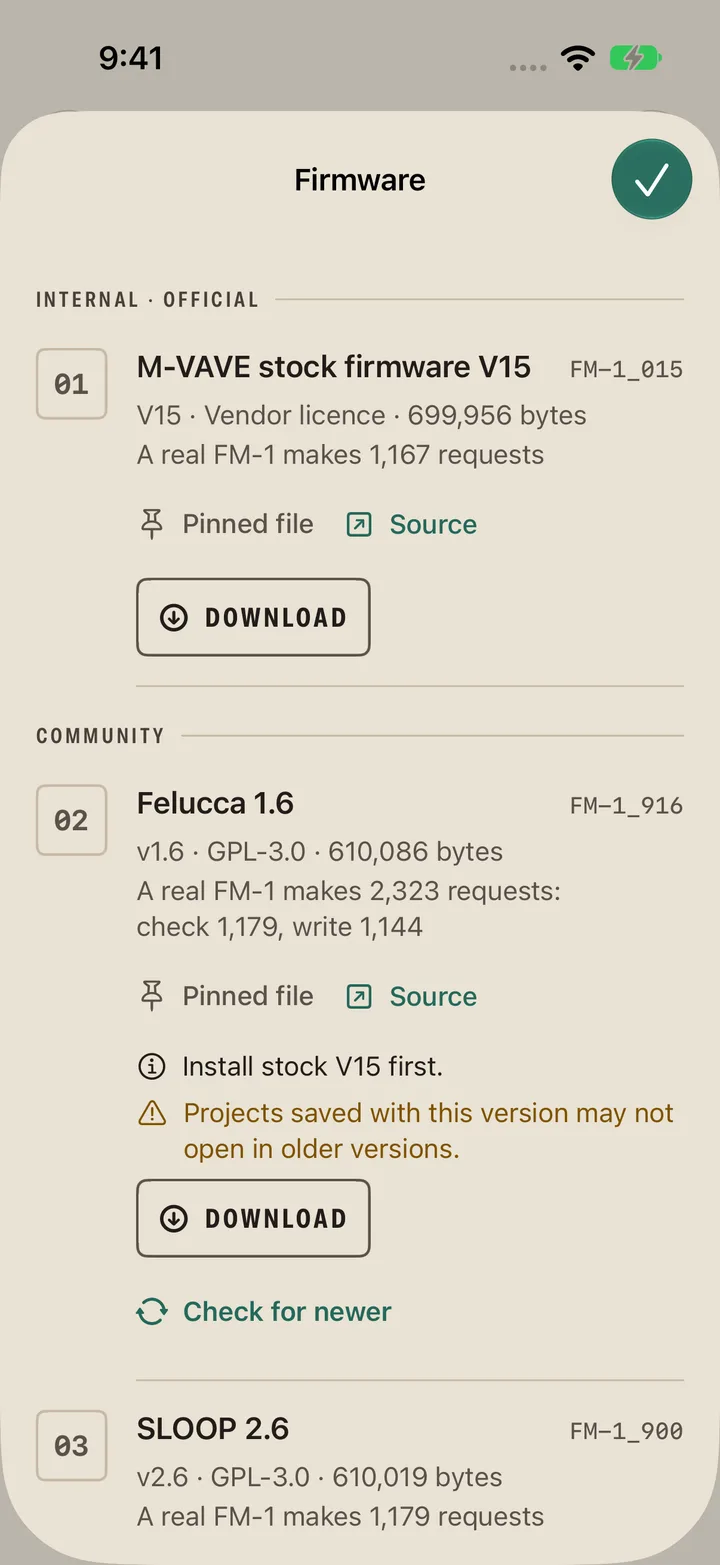
Choose firmware
Pick stock or community firmware from Mooring's catalog, or import a .fwsc file from Files.
-
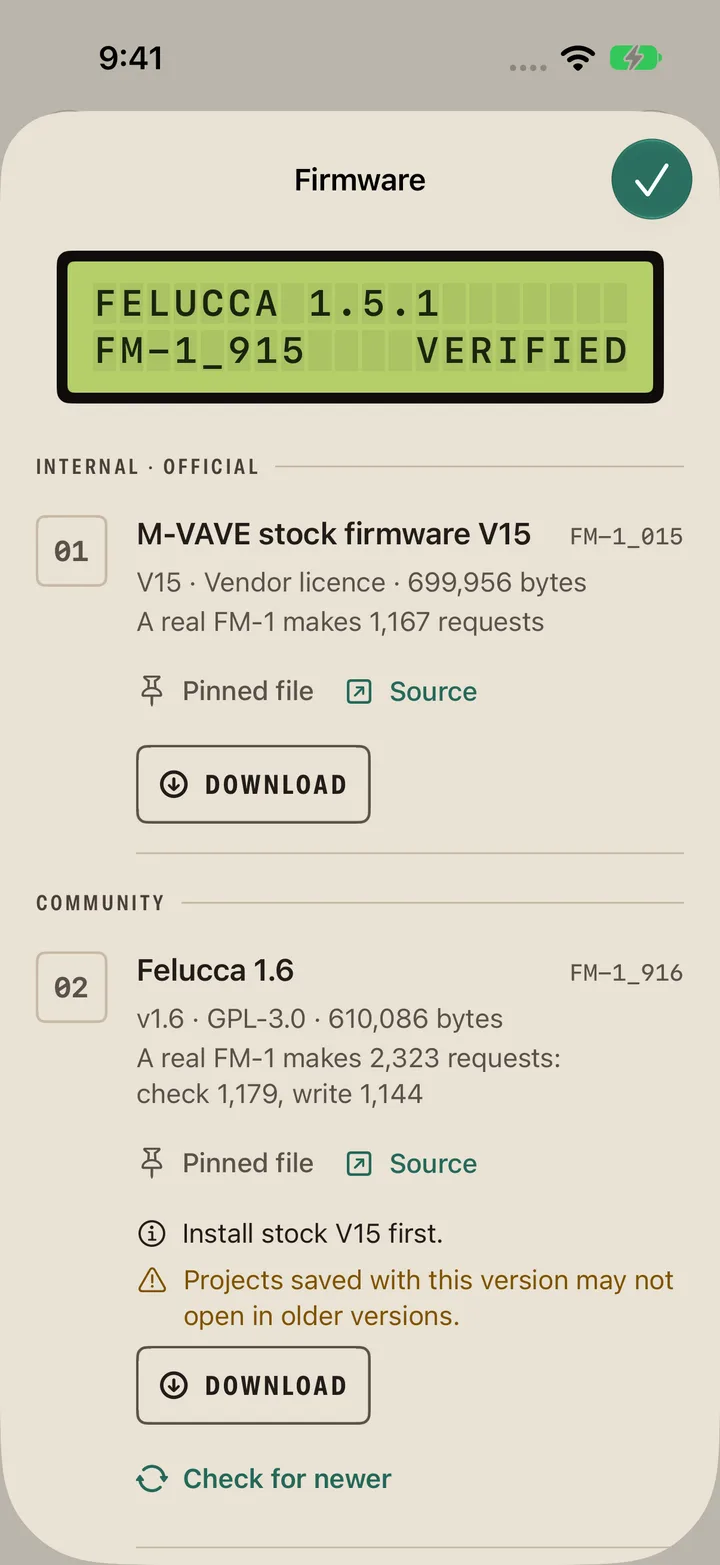
It's checked
Every file is checked before it can be sent, and marked Verified, Unlisted or Refused. A refused file can't be flashed.
-
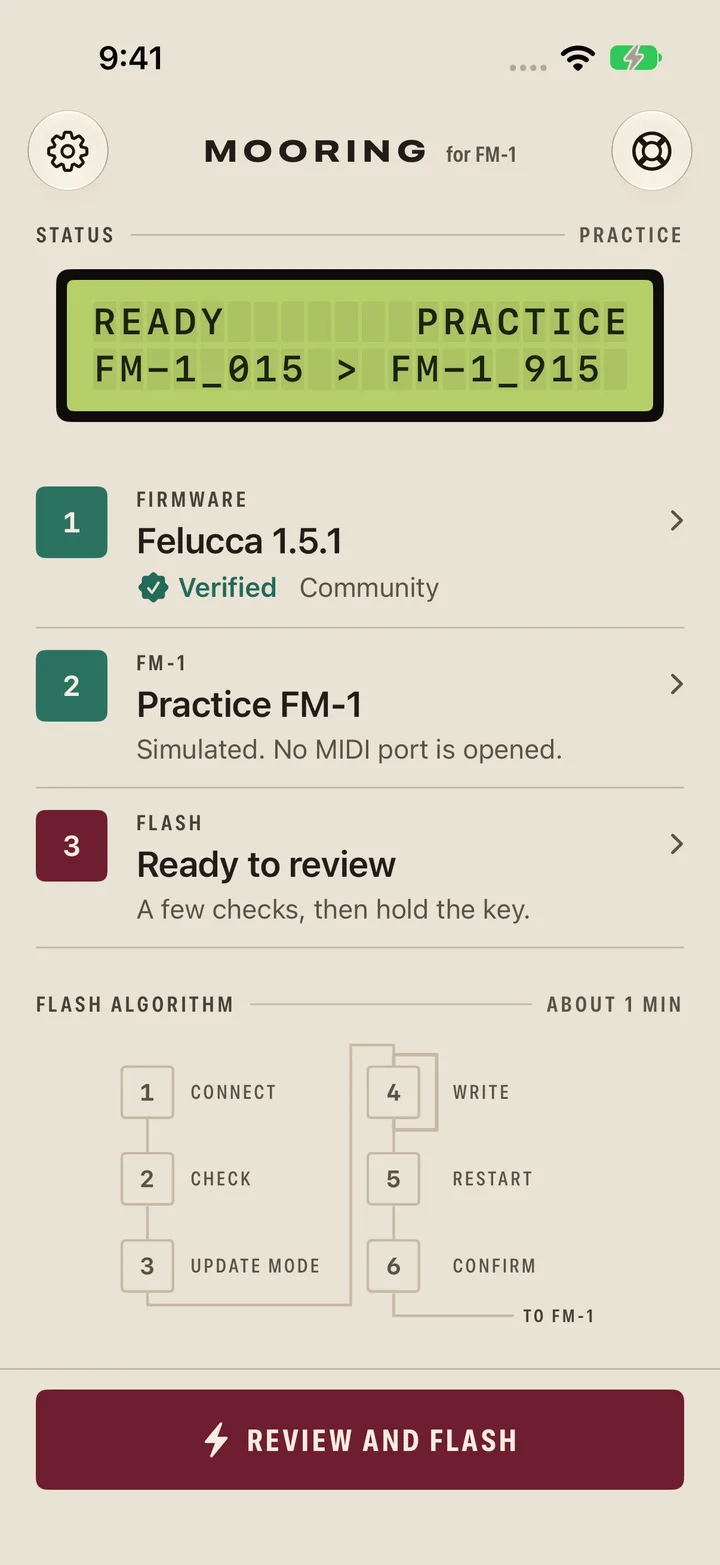
Connect the FM-1
Plug the FM-1 in with a USB cable. Mooring reads the firmware version it's running.
-
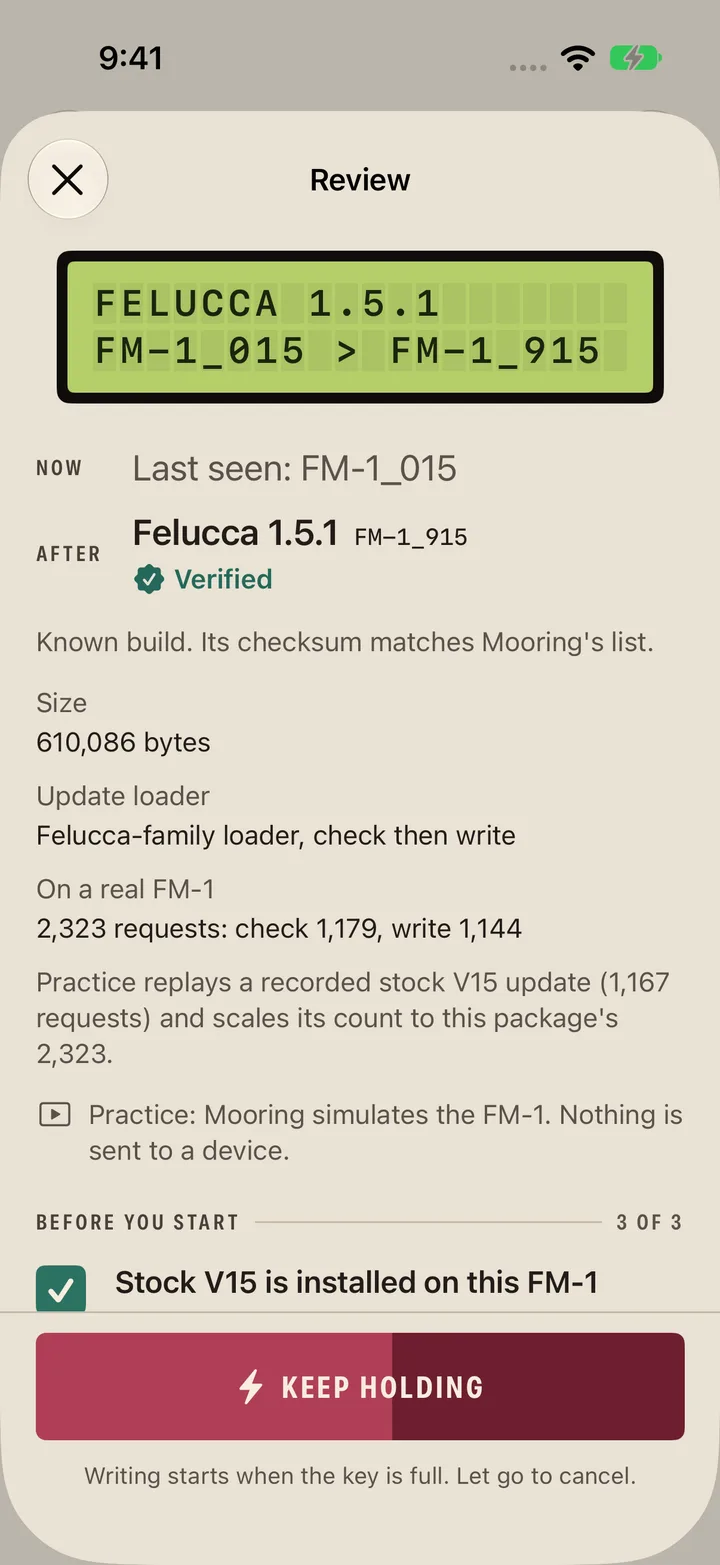
Review, then hold
One review screen shows what will change and the checks that apply. To start, press and hold the flash key for two seconds.
-
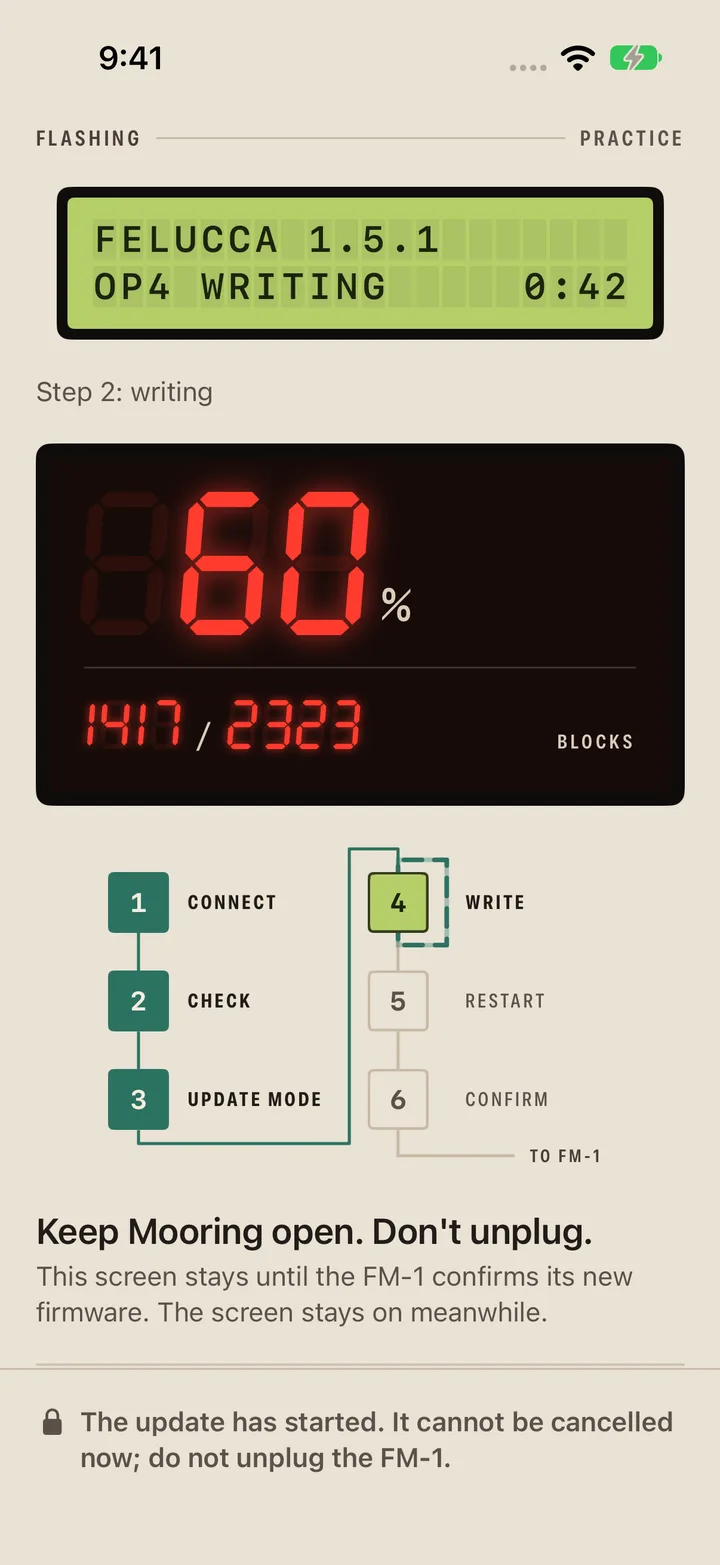
Watch it write
The LCD names each step, the LED counts blocks, and the six-step chart lights up as it goes.
-
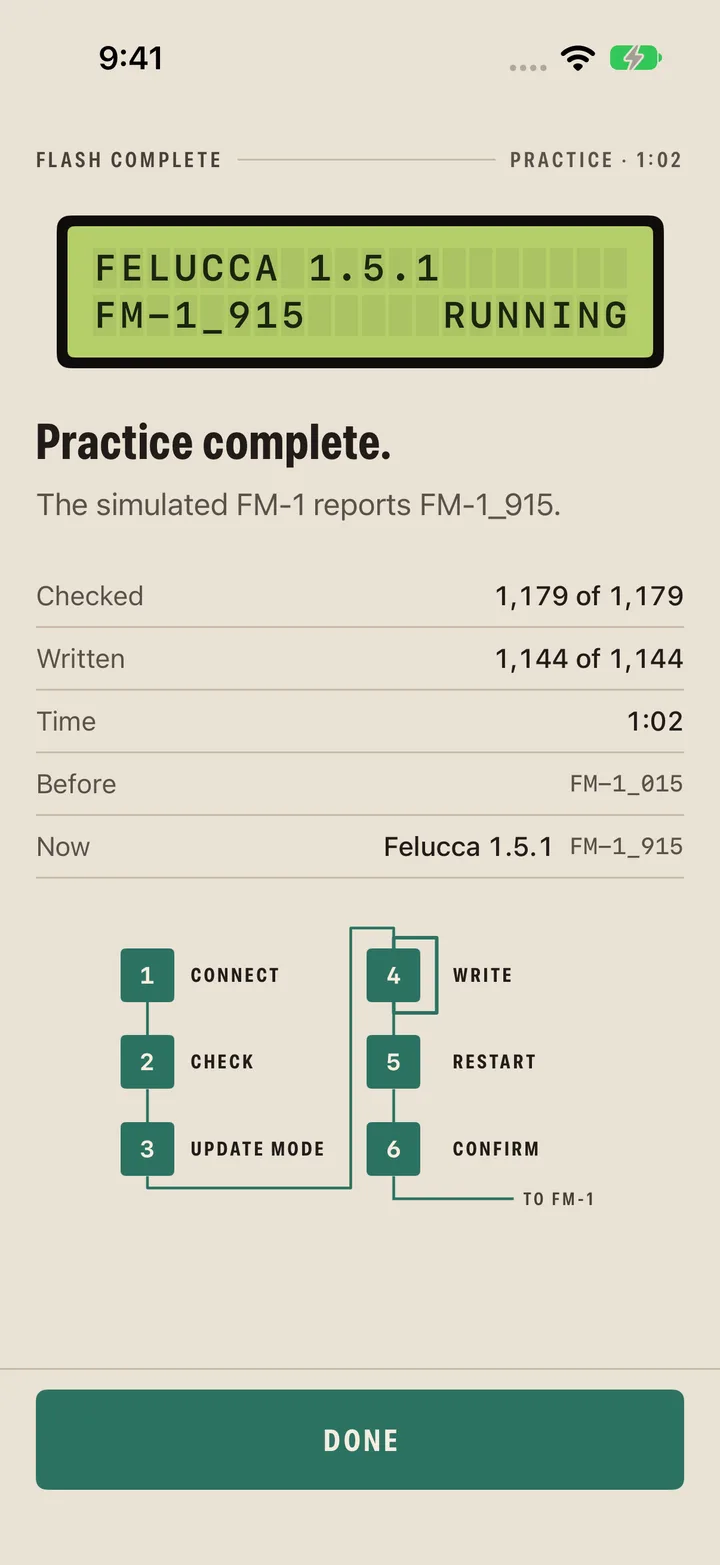
Read the result
Mooring restarts the FM-1 and confirms the new version when the FM-1 reports it. If a session stops, it says at which step and whether anything was written.


Before anything is written
It checks first, and shows its work.
- Every file is checked. Known builds are matched against Mooring's verified list; unknown image formats are refused.
- A review screen, then a two-second hold before anything is written.
- Block counts and a step-by-step view while it writes.
- Resumes a flash from update mode.
- Recovery pointers in Settings.
- USB only. No Bluetooth, by design.
Practice mode
Rehearse the whole flash first.
Mooring starts in Practice mode. It runs the whole flow, start to finish, without a synthesizer attached. To write to a real FM-1, turn on Real FM-1 access in Settings and confirm.
Firmware
Stock or community.
Firmware is downloaded from where it's published, never bundled with the app. Community firmware is GPL-3.0 and expects the FM-1 to be on stock V15 first. Mooring says so, and can install V15 for you.
Official
- M-VAVE stock V15
Community
- Felucca
- SLOOP
- sloopDX
- GHOULBOX
- Hortator
- ORBIT
- fm1-chord
- FM1 Quest
- Jangada
- WaveLoop FM-1
Requirements
What you need.
- An iPhone or iPad with iOS or iPadOS 27 or later.
- A USB data cable (and an adapter if your device needs one) to connect the FM-1.
- Both devices charged. The screen stays awake during a flash.
Privacy
The app collects nothing.
The Mooring app has no accounts, no analytics, no advertising and no tracking. It goes online only to check for and download firmware. This website counts visits with self-hosted Umami, without cookies.